See who is site-ready
Know which workers and subcontractors are clear before you promise a start date.
Track insurance, RAMS and training documents in one place.See who is ready, what is missing and what needs action before Monday.
No sign-up. No card details. A sample project to explore.
3 of 6 workers ready

A certificate in an email. A card photo in a message. A spreadsheet that still needs updating. You have the team lined up, but can you see what is missing?
SiteReady brings the document request, the response and your review into one focused workflow, designed for small UK contractors.
Know which workers and subcontractors are clear before you promise a start date.
Ask for insurance, RAMS or training documents with one link and keep the missing items visible.
Check every upload yourself, then mark the person ready only when the file is right.
See the actual demo screens. Follow the work from the site office to the subcontractor and back.
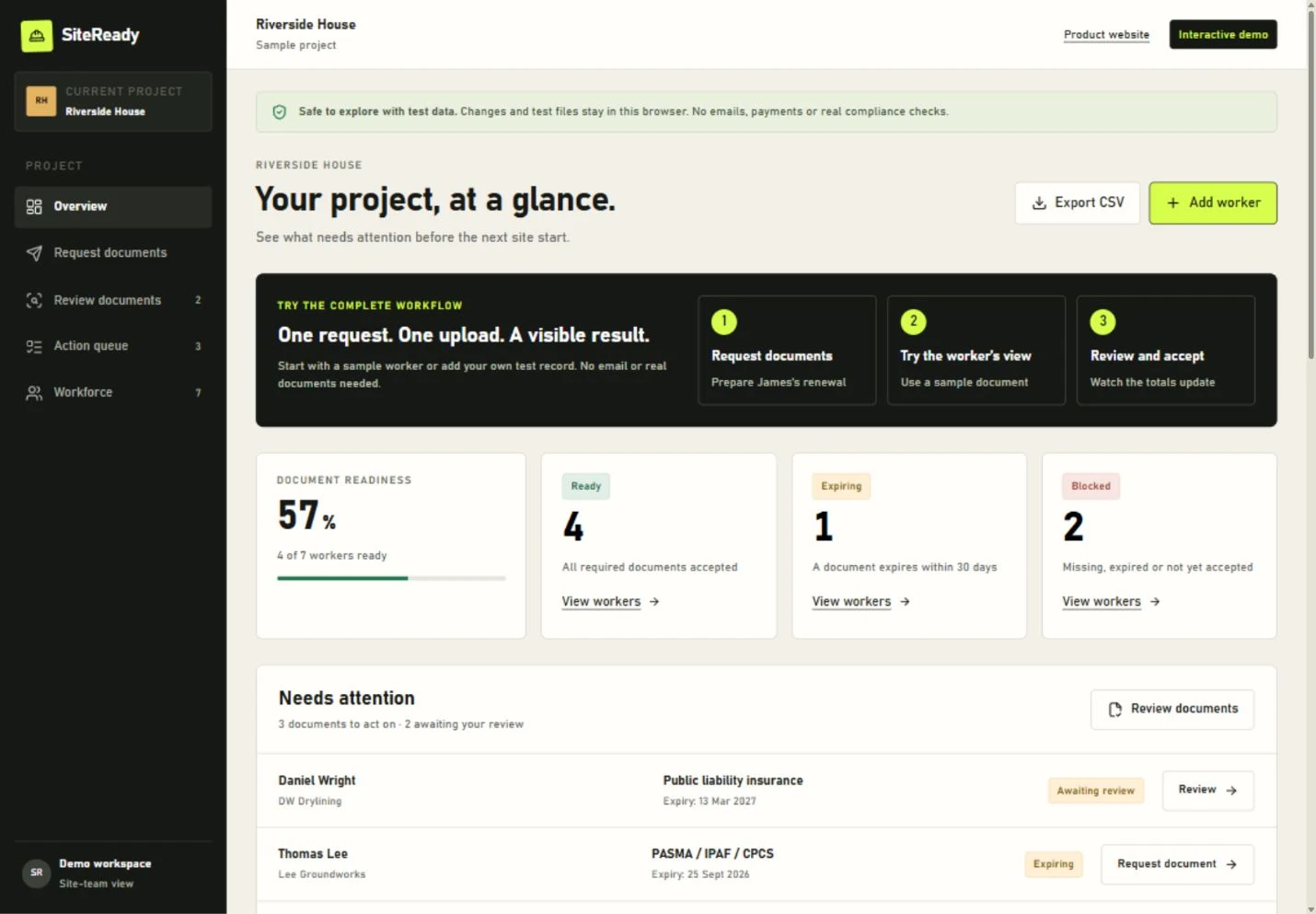
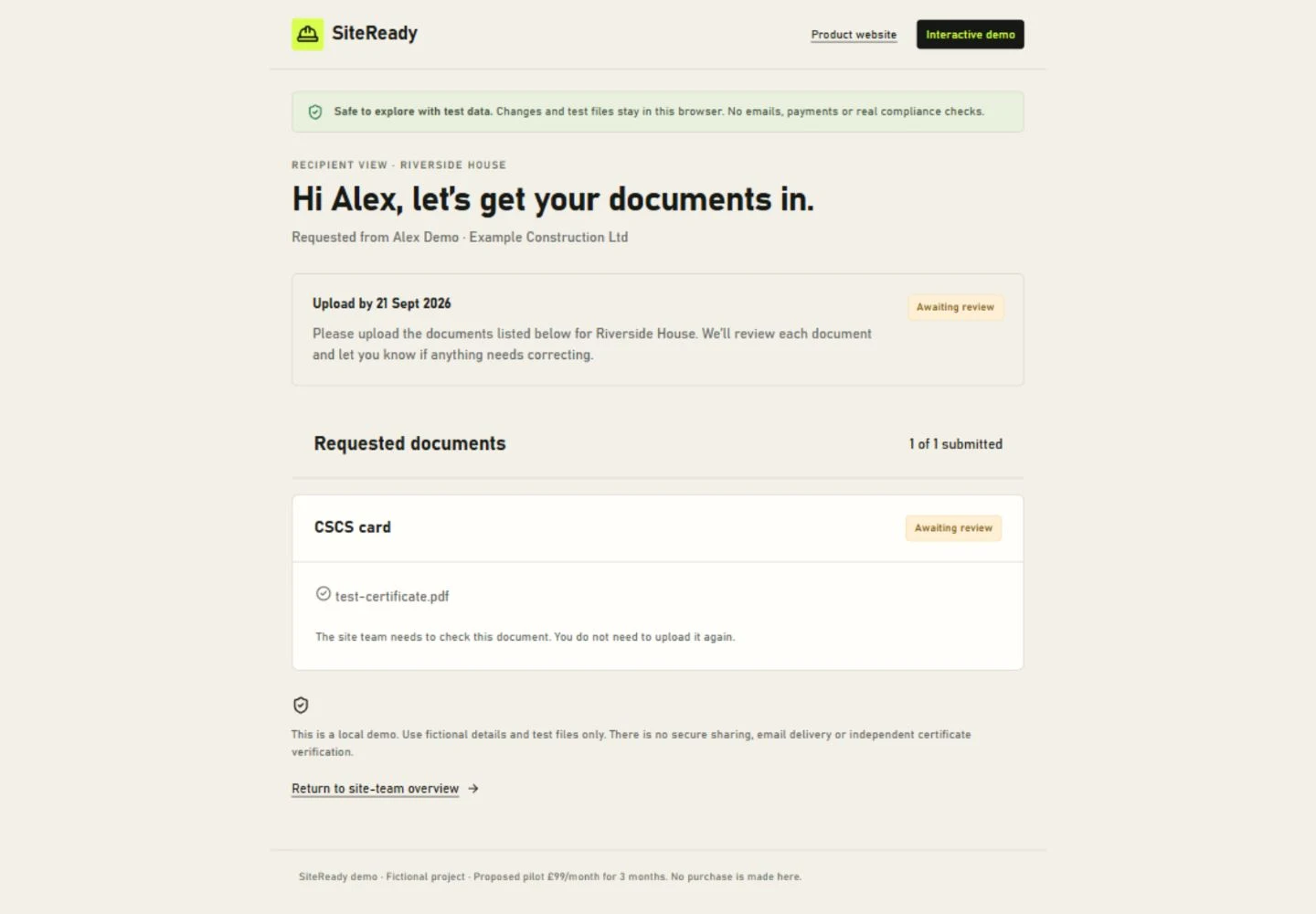
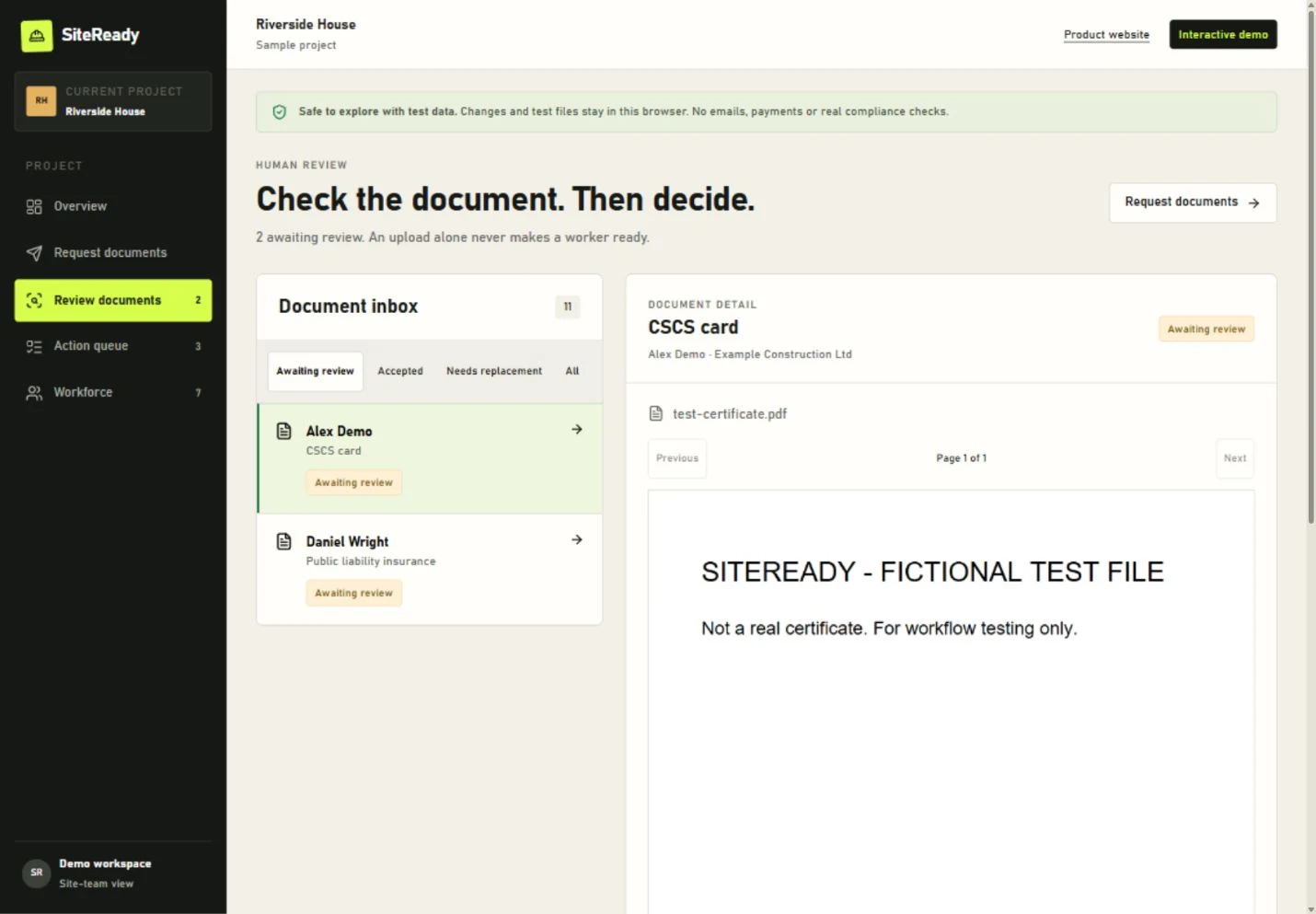
A missing insurance certificate and a card expiring next week need different decisions. See the person, the issue and the next action together.
Explore with sample details. Changes and test files stay in this browser; no email is sent.
Select the person, the documents and a deadline. Preview the message before preparing the request.
Try a requestThe recipient opens a checklist and chooses the requested files. No new account. No app download.
Try an uploadCheck the evidence and record the outcome. If something is wrong, make the next step a replacement request.
Try a reviewTry all three steps with sample data. Changes are saved in this browser only. No email is sent.
Your subcontractors have a job to do, too. A short, specific checklist tells them exactly what you need, which project it is for and when it is due.

Insurance certificate
Training card
Illustrative checklistSee the gaps before committing a team to the next start.
Find the worker, the document and the issue in the same view.
Keep requests and review decisions organised around the project.
Focused on document coordination. Payroll, timesheets, accounting and automatic card verification are outside this demo.
The proposed pilot focuses on your document workflow: the people you need on site, the evidence you need from them and the decisions your team makes.
Explore the free demo first.
Decide whether the workflow fits your business.
Proposed pilot price · £297 over three months
Try the free demoNo payment is taken. Live pilot availability, scope and billing terms will be confirmed before you commit.
Know what you can test today and what the live pilot is intended to provide.
Open the free demoExplore a sample project, add a test worker, prepare a request, submit a sample or test file, accept it or request a replacement, and export the workforce to CSV. No account or payment is required. Changes and test files are saved only in this browser. No email is sent and nothing is shared with other people.
The recipient workflow opens from a direct link in a web browser. There is no app to download and no recipient account to create. You can try that experience now using the recipient demo.
Public and employers’ liability insurance, CSCS cards, PASMA, IPAF or CPCS certificates, and project RAMS acknowledgements. You select the evidence relevant to the person and project, rather than sending everyone the same checklist.
No. A status helps organise your team’s document checks; it is not a legal or safety certification. SiteReady does not automatically verify cards with CSCS or another issuing body. Your team remains responsible for checking evidence and deciding whether someone may start work.
Yes. Try the sample project alongside your current process first. The proposed pilot focuses on one project so you can assess the workflow before changing how the wider business works. Automatic spreadsheet imports and Google Drive or SharePoint integrations are not included in the current demo.
The proposed founding pilot is £99 per month for three months (£297 across the pilot). The demo is free and does not start a subscription. Live availability, the included service, billing terms and any applicable VAT must be confirmed before payment; there is no checkout on this page.
This version is for evaluating the workflow with fictional details and test files. It saves data locally in your browser, not in a secure company workspace. Shared accounts, secure server storage and live email delivery must be in place before a paid live pilot begins.
Open Riverside House. Find a missing document.
Try the workflow from both sides.